Drag a Dockerfile onto the window
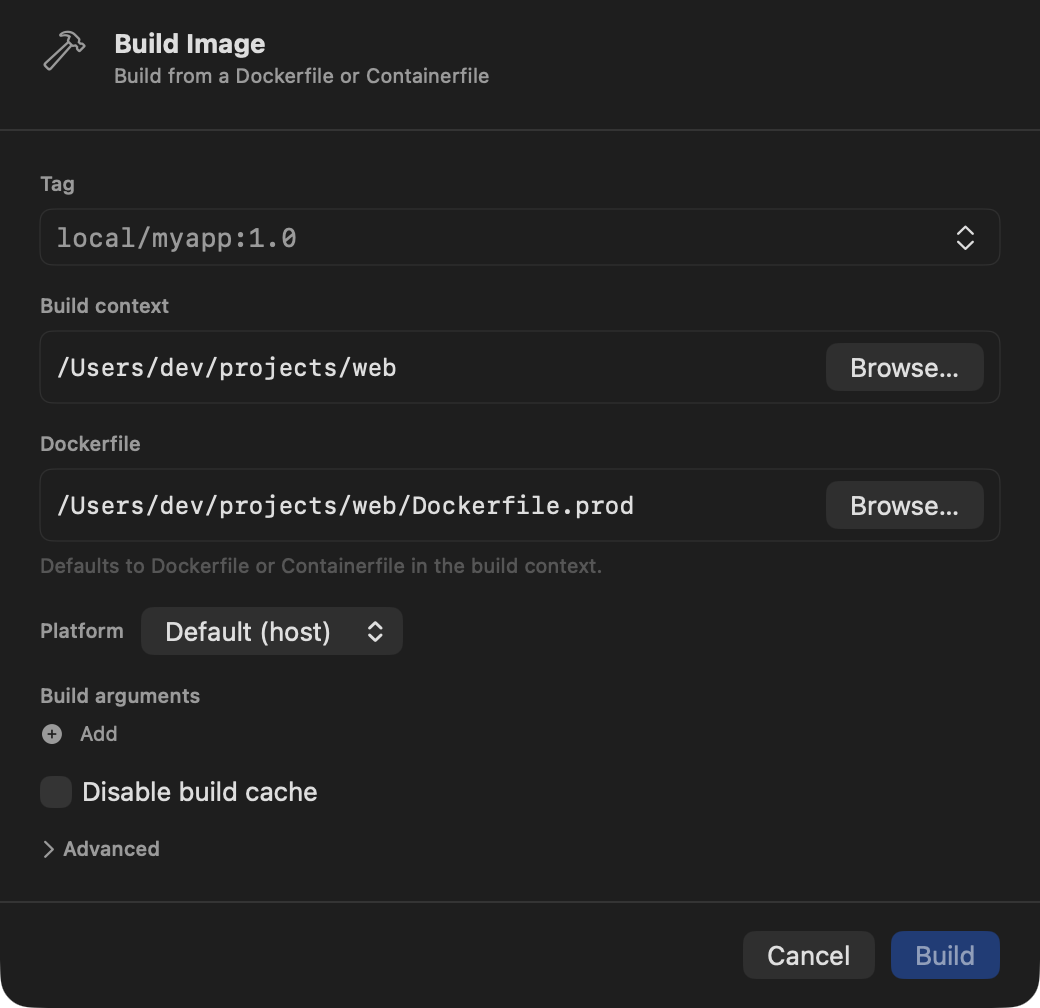
Building an image in Berthly meant opening the Build sheet and typing (or picking) a context
folder and a Dockerfile path. Reasonable, but Finder already knows where your Dockerfile lives
— you just dragged it there. Berthly now accepts the drag directly: drop a Dockerfile or
Containerfile anywhere on the main window, sidebar included, and the Build sheet opens already
pointed at the right context and file.
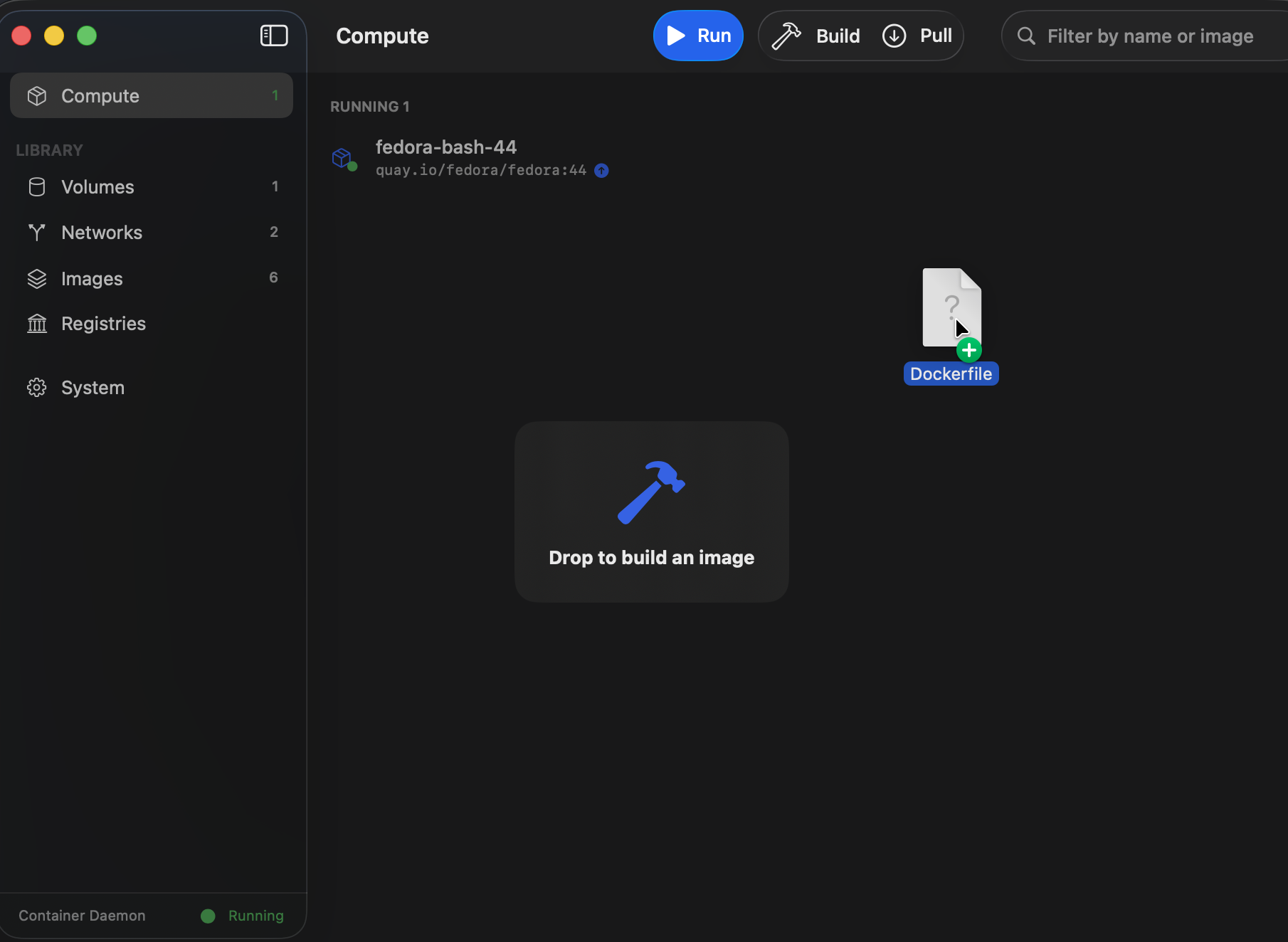
Drop it, and the Build sheet opens already pointed at the right context and file:
The feature is simple to describe. Getting it to hold up against symlinks, a disconnected daemon, and a second drop arriving mid-resolve took three separate decisions, each one forced by something that didn’t behave the way a first pass assumed.
Validate the name you were shown, not the name you’ll build from
The acceptance rule is filename-only: Dockerfile, Containerfile, and the common
prefix/suffix variants (Dockerfile.prod, backend.Dockerfile, and so on) — never file content.
That’s simple enough until the dropped item is a symlink. Which name should get checked, the
symlink’s own name or whatever it points at?
BuildDropResolver checks the dropped item’s own visible name first, and only resolves the
symlink afterward, for the paths it hands back:
guard BuildDropValidator.isDockerfileLike(url.lastPathComponent) else {
    sawUnsupported = true
    continue
}

let resolved = url.resolvingSymlinksInPath()
A symlink named Dockerfile that points at some unrelated file should be accepted — that’s what
you named it, so that’s what Berthly trusts. A symlink named build-file pointing at a real
Dockerfile should be rejected on sight, without ever touching the target. Reversing the order —
resolving first, validating the target’s name — would accept drops based on a name the user never
actually saw in Finder.
The other symlink case worth naming: a broken symlink. resolvingSymlinksInPath() doesn’t throw
for one — a missing target leaves the URL unresolved, still pointing at the symlink’s own path,
confirmed empirically since resourceValues(forKeys:) and checkResourceIsReachable() don’t throw
for it either. FileManager.fileExists(atPath:) is what actually tells “resolved to something
real” apart from “resolved to nothing,” so that’s the check that runs before anything downstream
treats the URL as usable.
No filename during the drag itself
The natural next feature is a hover state that goes green over a valid file and red over an invalid one, live, while you’re still dragging. Berthly doesn’t do this — hover only reflects whether the container daemon is connected, not whether the file under the cursor would be accepted.
That’s not a scope cut, it’s a platform limit. NSItemProvider.suggestedName — the one piece of
metadata that could tell you the dragged file’s name before drop — isn’t available synchronously
during a real Finder drag; by the time it resolves, the drag has already moved past the point
where a cursor update would matter. The authoritative check happens once, in
BuildDropResolver, on performDrop. Drop something that isn’t a Dockerfile and the window
doesn’t reject the drag — it accepts it, resolves it, and then shows a transient rejection banner
explaining why nothing happened.
A generation counter for the drop that arrives while the last one is still resolving
Resolution is filesystem I/O — resolvingSymlinksInPath(), resourceValues(forKeys:) — dispatched
off the main actor so a slow or network-mounted volume can’t freeze the drag. That means two drops
in quick succession can have their resolutions land out of order: drop A hits a slow path, drop B
lands right after and resolves fast, and B’s result comes back first.
The fix is a plain integer, bumped synchronously the instant a drop starts, not after its candidates finish loading:
isDropInFlight = true
hoverState = nil
dropGeneration += 1
let generation = dropGeneration
handleBuildDrop captures that number and compares it against the current dropGeneration once
its own resolution finishes; if a newer drop has already bumped the counter, the stale result is
discarded instead of popping open a sheet for a drag the user has already moved past. Assigning
the generation at drop-start rather than at load-completion matters specifically because loading
is the variable-length step — do it the other way and a slow first drop could finish after a fast
second one and be mistaken for the newer request.
One request type for every way to open the Build sheet
Drag-and-drop became a fifth way to open the Build sheet, joining the sidebar, command palette,
toolbar, and builds popover. Rather than bolt on a sixth piece of state next to the existing
showBuildSheet/viewedBuildJob pair, every entry point now funnels through one
BuildSheetRequest:
private struct BuildSheetRequest: Identifiable {
    let id = UUID()
    var prefillTag: String?
    var prefillContext: BuildContext?
    var existingJob: BuildJob?
}
.sheet(item:) over a single optional BuildSheetRequest? means a stale prefill from one path —
say, a build job you were reviewing in the popover — can’t leak into a plain click on the sidebar’s
Build entry, because there’s exactly one piece of state doing the presenting, and it’s replaced
wholesale on every open rather than accumulated across the different @State flags a bolt-on
would have needed.
Where it lives
Drag a Dockerfile or Containerfile from Finder onto Berthly’s main window — the sidebar counts
too — and the Build sheet opens with the context and Dockerfile path already filled in, cursor
in the Tag field. If the daemon isn’t connected, the overlay says so instead of accepting the
drop; drop something that isn’t recognized as a Dockerfile and a brief banner explains why nothing
happened.